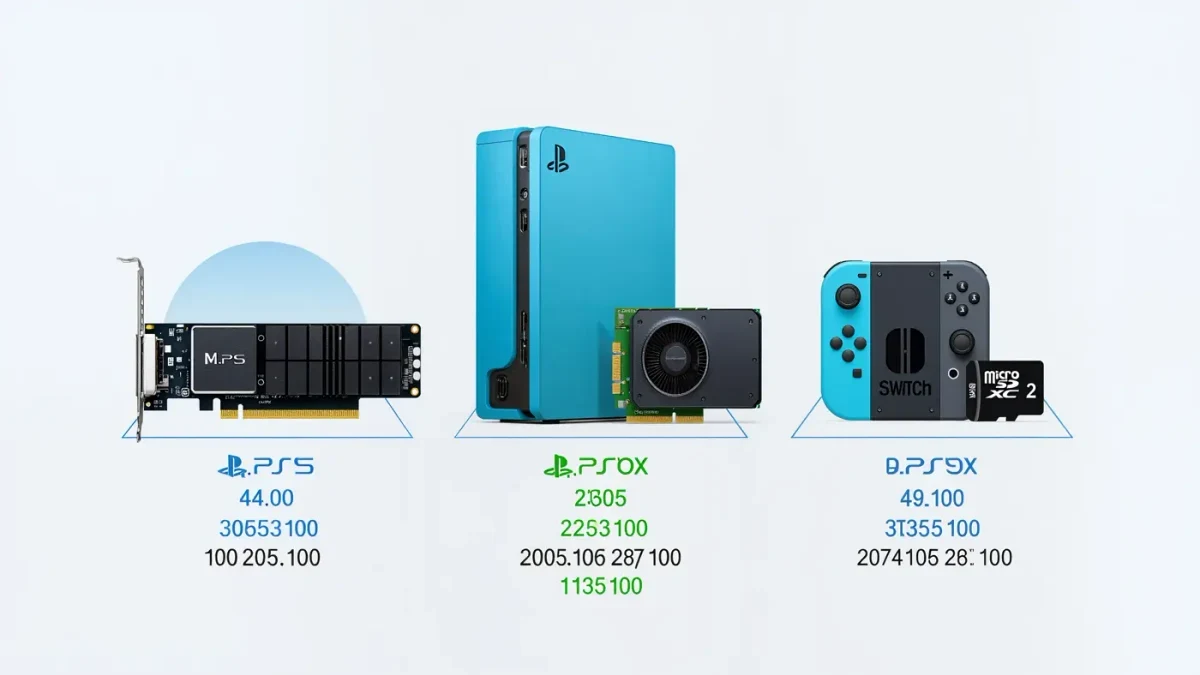
Every current-generation console ships with too little storage for a modern library: base SSDs run 512 GB to 1 TB, and individual AAA releases routinely pass 100 GB before patches, so two or three big games can exhaust a factory drive. The good news is that all three platforms expand. The catch is that each does it differently — the PS5 takes standard NVMe SSDs, the Xbox requires proprietary expansion cards, and the Switch 2 uses microSD Express cards — and buying the wrong thing is an easy, expensive mistake. Here is what each machine actually accepts.
How does PS5 storage expansion work?
The PS5 has an internal M.2 NVMe slot that accepts standard PCIe 4.0 drives — the same drives sold for gaming PCs. Sony's requirements are specific: an interface between 5,500 and 8,500 MB/s read speed, a capacity from 250 GB up to 8 TB, and a physical size plus heatsink that fits the bay (11 mm total height with a standard heatsink, 8 mm with a single-sided heatsink). The process is unscrew the plate, seat the drive, format it in settings — the console treats it as usable space for PS5 games immediately. The reward for matching Sony's spec list is the best price-per-gigabyte of any console: competition among drive makers keeps NVme pricing aggressive, and 1 TB and 2 TB options often undercut console-branded alternatives.
Why does Xbox use proprietary cards?
The Xbox Series X|S guarantees identical speed across internal and external storage, and Microsoft chose a sealed expansion-card format — sold by Seagate and later others — that slots into a port on the back of the console. The card works instantly, requires no tools, and can be moved between Xbox machines, which is a genuine plus for households with two consoles. The trade-off is price: the proprietary format has historically cost noticeably more per terabyte than the equivalent PS5 NVMe drive. A cheaper partial workaround exists: USB external drives can store and run Xbox One, 360, and original Xbox games at full speed, but Series X|S-optimized titles can only be stored on USB and must sit on internal storage or an expansion card to run. The same USB rule applies on PS5 — external drives hold PS4 games fine, but PS5 titles must live on the internal SSD or the M.2 slot.
What does the Switch 2 accept?
The Switch 2 replaced the original's standard microSD slot support with microSD Express — a newer card standard with much higher speeds, launched as a format in 2019 by the SD Association. Regular microSD cards still work for many purposes but cannot hold Switch 2 software; only Express cards can store the new generation's games. Capacities started at 256 GB at launch in 2025 and are expanding. That is a hard compatibility line to remember at the store: an old 512 GB microSD from a camera will not solve a Switch 2 storage problem, and Express cards cost more per gigabyte than the legacy format. Nintendo's own guidance on supported card types is the reference to check before buying, and the format landscape is documented by the SD Association.
USB drives, archives, and managing what you have
Before buying any hardware, work the software angle. All three platforms let you archive games — deleting the installed copy while keeping saves, settings, and the license, so reinstalling later takes one click and a download. Saves themselves live in cloud sync on paid subscriptions, not in game installs. If your library is larger than your storage but your play rotates among three games at a time, a free archive habit plus one expansion is usually enough; buying 4 TB for a rotation of three titles is spending money on convenience you will never touch. Re-download speeds depend on your connection, not the console, so factor that in if your broadband is slow.
What should you actually buy in 2026?
For a PS5: a 1 TB or 2 TB PCIe 4.0 NVMe drive with a pre-mounted heatsink from the PS5 compatibility lists, matched to Sony's speed window — the most flexible, best-value expansion in consoles. For an Xbox Series X|S: a proprietary card if you need to run optimized games beyond internal storage, or a large USB drive if most of your library is older-generation titles. For a Switch 2: a microSD Express card, checking the capacity and speed class before paying, since legacy microSD will not hold Switch 2 games. Across all three, one rule holds: buy from a reputable seller, because counterfeit storage cards — flash memory reporting capacities it does not have — are a persistent scam category in consumer electronics, one the US Federal Trade Commission's consumer advice has warned about for years.
Whichever route you pick, the habit matters more than the hardware: check your free space before a big download, not during it.
For more context, read Backward Compatibility: How Consoles Run the Previous Generation's Games.
For more context, read ps5 vs xbox series x.
For more context, read console exclusives 2026.